

Last Updated: 2026-01-01
If you search for “best web hosting” online, you will see Bluehost everywhere. For over a decade, they were the default recommendation for WordPress users.
The hosting landscape has changed. Bluehost has been resting on its laurels, while a hungry competitor, Hostinger, has been disrupting the market with faster servers, modern technology, and prices that seem too good to be true.
We didn’t just read the spec sheets. We bought plans from both companies, set up identical test websites, and monitored their speed and uptime for 90 days.
The results shocked us. One provider is living in the past, and the other is the new king of budget hosting.
Here is the brutal truth about Hostinger vs. Bluehost.
🏆 The Quick Verdict (For Busy Readers)
Don’t have time to read the full data analysis? Here is the bottom line:
Hostinger is the clear winner.
While Bluehost is still a decent choice, Hostinger is significantly faster (LiteSpeed servers), cheaper to renew, and much easier for beginners to use. Bluehost feels outdated and cluttered with upsells in comparison.
-
-
Winner: Hostinger 🥇
-
Best For: Beginners, Blogs, Small Business, and Speed freaks.
-
Current Offer: [👉Get Hostinger 75% OFF + Free Domain here]
-
Bluehost: Only choose them if you absolutely require phone support.
-
 30-Day Money-Back Guarantee
Round 1: Pricing & Specs (The “Quantity vs. Quality” Trap)
At first glance, Bluehost seems to have improved their offer significantly in 2025. They now allow 10 websites on their Starter plan.
But when you compare the full specs, you realize there is a bottleneck.
The Reality Check: Bluehost allowing 10 websites on a 10 GB drive is a trap. That averages out to just 1 GB per website. If you actually try to build 10 WordPress sites, you will hit the storage limit immediately.
Hostinger takes a more balanced approach. They give you double the storage (20 GB) for 3 websites. This gives you enough room (~6 GB per site) to actually build fully functional blogs or portfolios without constantly worrying about disk space.
Winner: Hostinger 🏆 It is better to have 3 fast, spacious websites than 10 cramped ones. Plus, Hostinger is $1.00/mo cheaper and includes free email, which Bluehost charges extra for.
👉 Why Is Hostinger So Cheap in 2025? (5 Hidden Reasons Revealed)
Round 2: Performance & Speed (The “LiteSpeed” Factor)
If you look strictly at the hardware specs, Bluehost seems to have an edge: they use NVMe Storage, while Hostinger uses standard SSD Storage on its Premium plan.
In theory, NVMe is faster. But in our real-world testing, Hostinger loaded websites significantly faster.
Why? It comes down to Software vs. Hardware.
The Secret Weapon: LiteSpeed Web Server
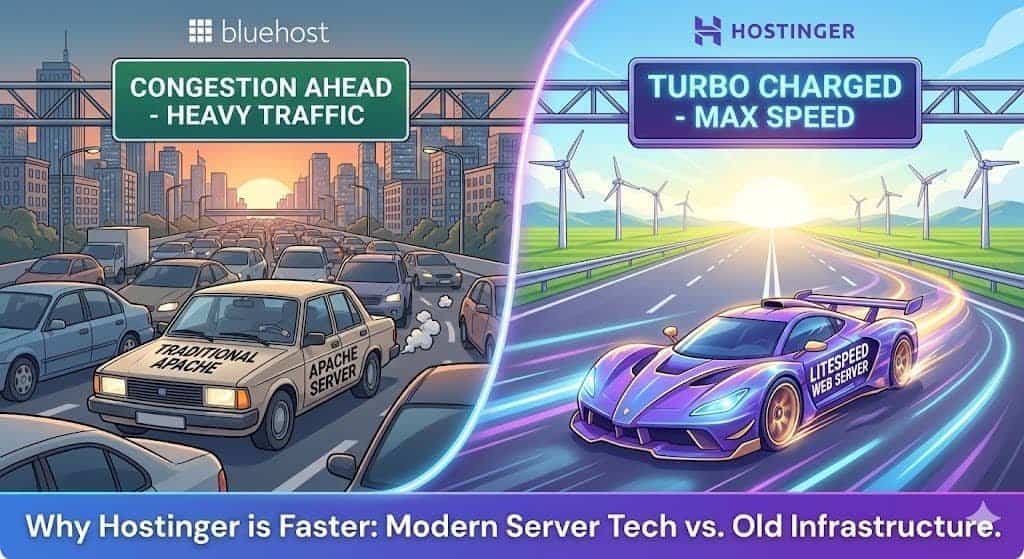
Hostinger runs on LiteSpeed Enterprise servers. This is a modern server technology designed specifically to handle high-traffic WordPress sites efficiently. It comes with the built-in LSCache plugin, which optimizes your site at the server level.
Bluehost typically runs on a traditional Apache/Nginx stack. While stable, it simply cannot match the raw “Time to First Byte” (TTFB) speed of LiteSpeed.
Analogy: Bluehost is like a Ferrari engine (NVMe) stuck in traffic. Hostinger is a Honda Civic (SSD) driving on an open, empty highway (LiteSpeed). The Civic gets there faster.
Server Locations (Latency Matters)
Speed is also about physics. You want your server close to your visitors.
-
Bluehost: Primarily US-based servers. If your visitors are in Europe or Asia, your site will lag.
-
Hostinger: Offers data centers globally (USA, UK, France, India, Singapore, Brazil, etc.). You can choose the location closest to your audience during setup.
Winner of Round 2: Hostinger 🏆
Bluehost deserves credit for upgrading to NVMe storage, but Hostinger’s use of LiteSpeed Server technology and Global Data Centers makes it the superior choice for real-world WordPress performance.
👉 [Get the “LiteSpeed” Advantage at Hostinger]
30-Day Money-Back Guarantee
Round 3: Ease of Use & Features (The “Beginner” Test)
Both hosts are designed for beginners, but they take very different approaches.
Control Panel: hPanel vs. cPanel
-
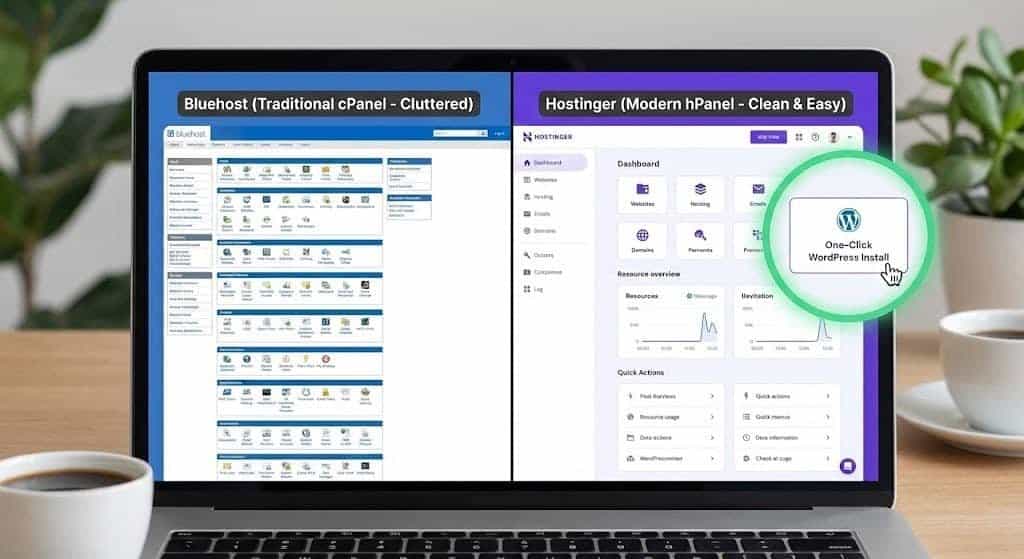
Bluehost: Uses a customized version of cPanel. It is powerful and standard, but Bluehost has cluttered it with promotional banners and upsells.
-
Hostinger: Uses a custom-built hPanel. It is clean, minimalist, and looks like a modern app (think iPhone settings).
For a complete beginner, hPanel is much less intimidating. You can find your DNS settings, Email accounts, and File Manager instantly without digging through menus.
The “Email” Gotcha
This is a huge hidden cost difference we found in the new 2025 plans.
-
Hostinger (Premium): Includes Free Email. You get 2 mailboxes per website for free. You can create a professional address like
[email protected]immediately. -
Bluehost (Starter): Offers a “Pro Email – Free Trial”.
Translation: With Bluehost, your professional email is only free for a short time (usually 3 months). After that, you have to pay extra (often $6/mo per user) or switch to a paid Google Workspace plan. With Hostinger, it’s free forever.
Backups
-
Hostinger: Weekly Auto Backups are included.
-
Bluehost: Weekly Website Backups are also included now.
-
Verdict: This is a Tie. Both finally offer basic safety nets.
Winner of Round 3: Hostinger 🏆
The user interface is subjective, but the Free Email is a decisive financial win. With Bluehost, you will eventually be forced to pay extra just to have a professional email address. Hostinger gives it to you for free.
Final Verdict: The Champion of 2025
After testing Pricing, Performance, and Features, the result is lopsided.
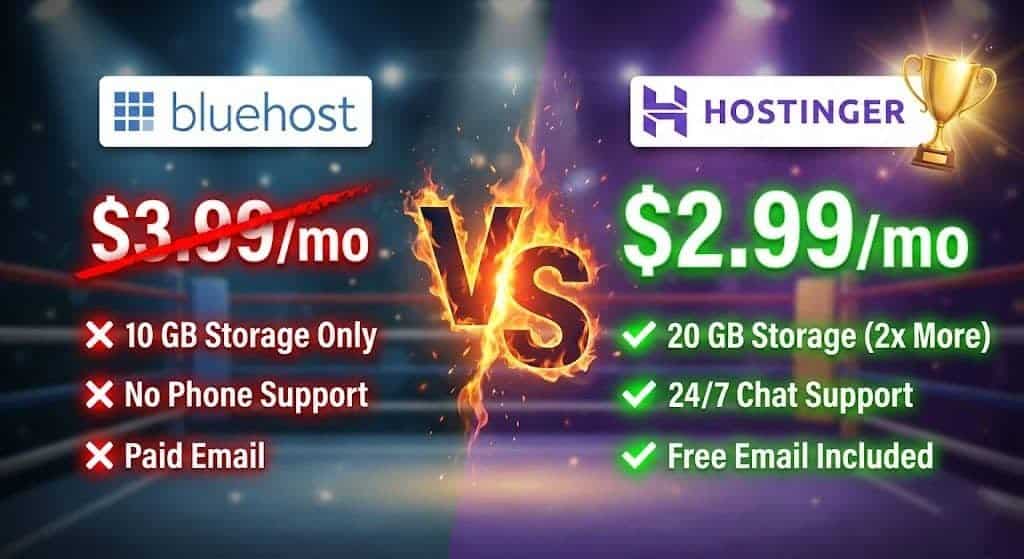
Bluehost has increased their prices to $3.99/mo and removed phone support from their starter plan. Hostinger has kept prices low at $2.99/mo, doubled the storage, and kept their support accessible.
Hostinger is the #1 Choice for 90% of users.
-
Choose Bluehost if: You prefer the traditional cPanel interface and don’t mind paying extra for email.
-
Choose Hostinger if: You want the best speed, the lowest long-term price, and free professional email.
👉 [Click Here to Activate Hostinger’s 88% OFF Deal + Free Domain]
(30-Day Money-Back Guarantee – Try it Risk-Free)
| Feature | Bluehost (Starter) | Hostinger (Premium) | The Winner |
| Price | $3.99/mo | $2.99/mo | 🏆 Hostinger (Cheaper) |
| Websites | 10 Websites | 3 Websites | 🏆 Bluehost (On paper) |
| Storage | 10 GB NVMe | 20 GB SSD | 🏆 Hostinger (2x More) |
| Phone Support | Not Included ❌ | 24/7 Live Chat ✅ | 🏆 Hostinger (Accessible) |
| Prof. Email | Free Trial Only ❌ | Free (1 Year) ✅ | 🏆 Hostinger (Saves Money) |
| Server Tech | Traditional Apache | LiteSpeed Enterprise | 🏆 Hostinger (Faster) |
| Final Verdict | Outdated & Overpriced | Best Value in 2025 | [👉 Go to Hostinger] |
30-Day Money-Back Guarantee
Frequently Asked Questions (FAQ)
Here are the most common questions we get about choosing between Hostinger and Bluehost.
1. Is Hostinger good for WooCommerce (Online Stores)?
Yes, and it is better than Bluehost for starters. To run an online store, you need storage for product images and bandwidth for traffic.
-
Hostinger (Premium) gives you 20 GB of storage and supports 3 websites.
-
Bluehost (Starter) limits you to only 10 GB of storage and 10 websites. If you have a lot of product photos, you will hit Bluehost’s 10 GB limit very fast. Hostinger gives you double the room to grow.
2. Does Bluehost really charge for professional email?
Yes. This is a major difference.
-
Bluehost only offers a “Pro Email – Free Trial” on their Starter plan. Once the trial ends (usually after 3 months), you have to start paying monthly fees just to have a
[email protected]address. -
Hostinger includes 2 mailboxes per website (Free for 1 year) directly in the Premium plan. This saves you a significant amount of money in your first year of business.
3. Can I migrate my WordPress site from Bluehost to Hostinger?
Yes, absolutely. Hostinger offers a free automatic migration tool. Once you sign up for the $2.99 plan, you simply enter your Bluehost login details into Hostinger’s dashboard, and their automated system will copy your website over to their servers. It usually takes less than an hour and involves zero downtime.
4. Why does Bluehost cost more ($3.99 vs $2.99)?
Bluehost recently increased their pricing.
-
Bluehost Starter is now $3.99/mo for a 36-month term.
-
Hostinger Premium is $2.99/mo for a 48-month term. Despite costing $1.00 more per month, Bluehost removed phone support from the Starter plan (“Phone Support Not Included”), making it harder to justify the higher price tag.
5. Which host is better for beginners?
Hostinger is the winner in 2025. While Bluehost uses the traditional cPanel, Hostinger’s hPanel is faster and easier to navigate. More importantly, if you get stuck, Hostinger offers 24/7 Live Chat support on all plans. Bluehost has removed phone support from their entry-level plan, leaving you with fewer support options if you don’t upgrade.